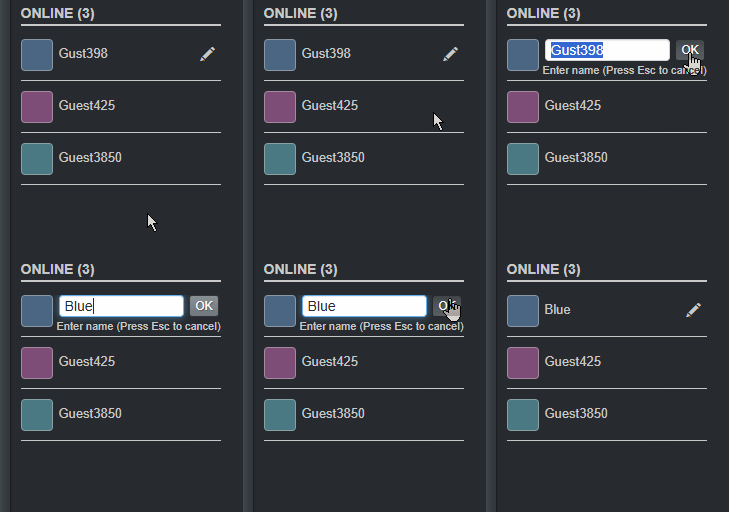
We've improved the username editing experience to make it clearer and easier to use.
Previously, your username was always shown as a text input field, which could be a bit confusing. It wasn't always clear when you were editing your name and when it was already saved.
Now, your username is displayed as plain text by default. To edit it, simply click the pencil icon. Click the OK button or press Enter to save your changes. Press Esc to cancel.
This small update makes it easier to understand the current state and helps avoid accidental edits.