When you open the editor, it now starts in Offline Mode by default. This allows you to write and test code freely without worrying about your work being synced online. Since it operates entirely locally, you may also notice a slightly faster, lighter editor experience.
How to Enable Real-Time Sharing
To collaborate with others, simply click the new "Enable Sharing" button located in the right sidebar (where the user list usually appears). This will connect you to the server, generate a unique room URL, and allow others to join your session.
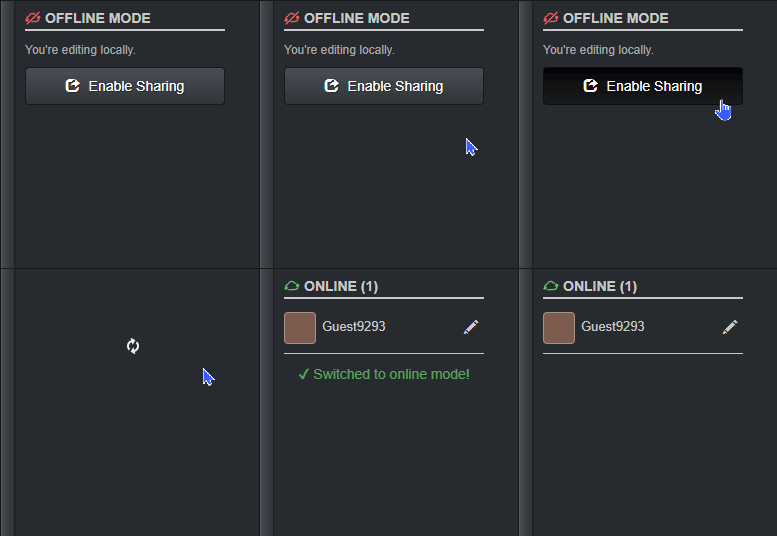
You can also find the "Enable Sharing" button inside the "Share" modal at the header.
Important Note on Auto-Saving
Because Offline Mode does not connect to our servers, your code will not be saved automatically. If you want to keep your progress without going online, you can always use the "Export" button in the toolbar to download your work as an HTML file. (This feature is available in both offline and online modes.)
Why the Change?
Many users open SyncFiddle just to quickly test HTML, CSS, or JavaScript. This update keeps collaboration features while allowing for faster startup, more privacy (no room is created unless you choose to share), and a lightweight experience when working solo. It also helps reduce unnecessary server connections by allocating resources specifically for active collaborative sessions, helping improve overall real-time editing stability.
As always, thank you for using SyncFiddle.