We have added offline URL sharing, console log grouping, and a color picker to the editor.
Offline Mode: Share Code via URL
You can now share your code with others directly from Offline Mode, without switching to Online Mode.
As you edit code, the browser URL automatically updates to include your current code
(e.g. editor?code=...).
You can copy this URL from the address bar, or use the "Share" button
in the toolbar to open a modal with a copyable link.
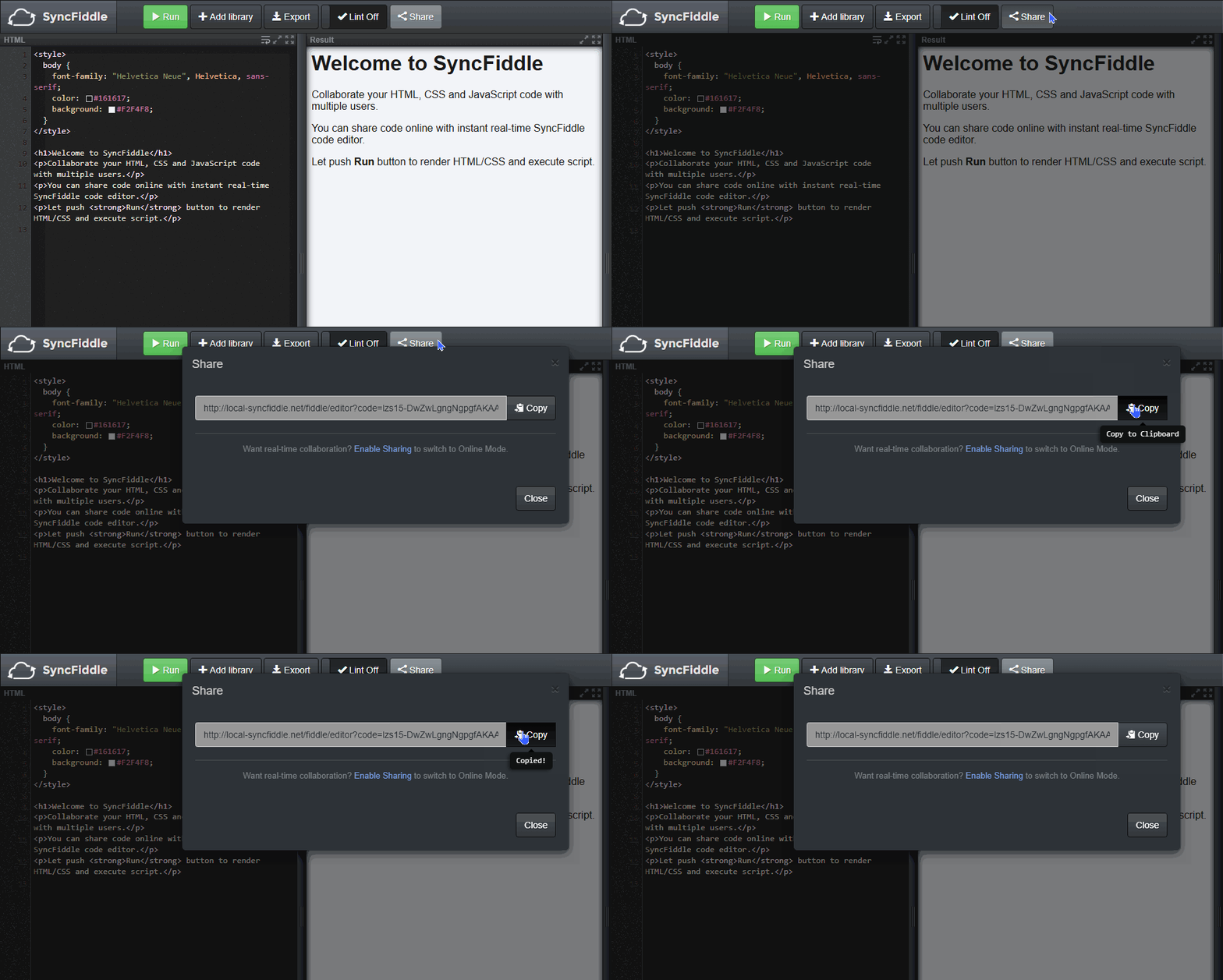
When someone opens the shared URL, the editor will load with your code as the initial content. This works entirely in the browser (no server connection required).
Note: If the code is too large, the share URL cannot be generated. In that case, the Share modal will display a message letting you know. You can still use the "Export" button to download your code as an HTML file, or switch to Online Mode for real-time collaboration.
Speaking of which, you can still switch to Online Mode at any time by clicking "Enable Sharing" in the right sidebar or via the link at the bottom of the Share modal.
Console Log Grouping
Repeated console logs are now grouped together
and displayed with a count, such as (2) Hello.
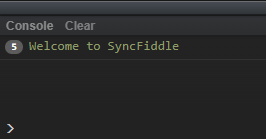
Previously, running code that outputs the same message many times (e.g. inside a loop) would flood the console with duplicate lines. Now, consecutive identical messages are collapsed into a single line with a counter, making the console output easier to read.
Color Picker in the Editor
The editor now includes a built-in color picker.
When you write a CSS color value
(e.g. color: #ffffff; or background: rgb(255, 255, 255)),
a small color swatch appears next to it.
Click the swatch to open a color picker and visually choose a new color.