We've added several improvements to the editor toolbar and console, making it easier to format your code and manage your workflow.
Format Button (Powered by Prettier)
A new "Format" button has been added to the editor toolbar. Click it to automatically format your HTML, CSS, and JavaScript code using Prettier.
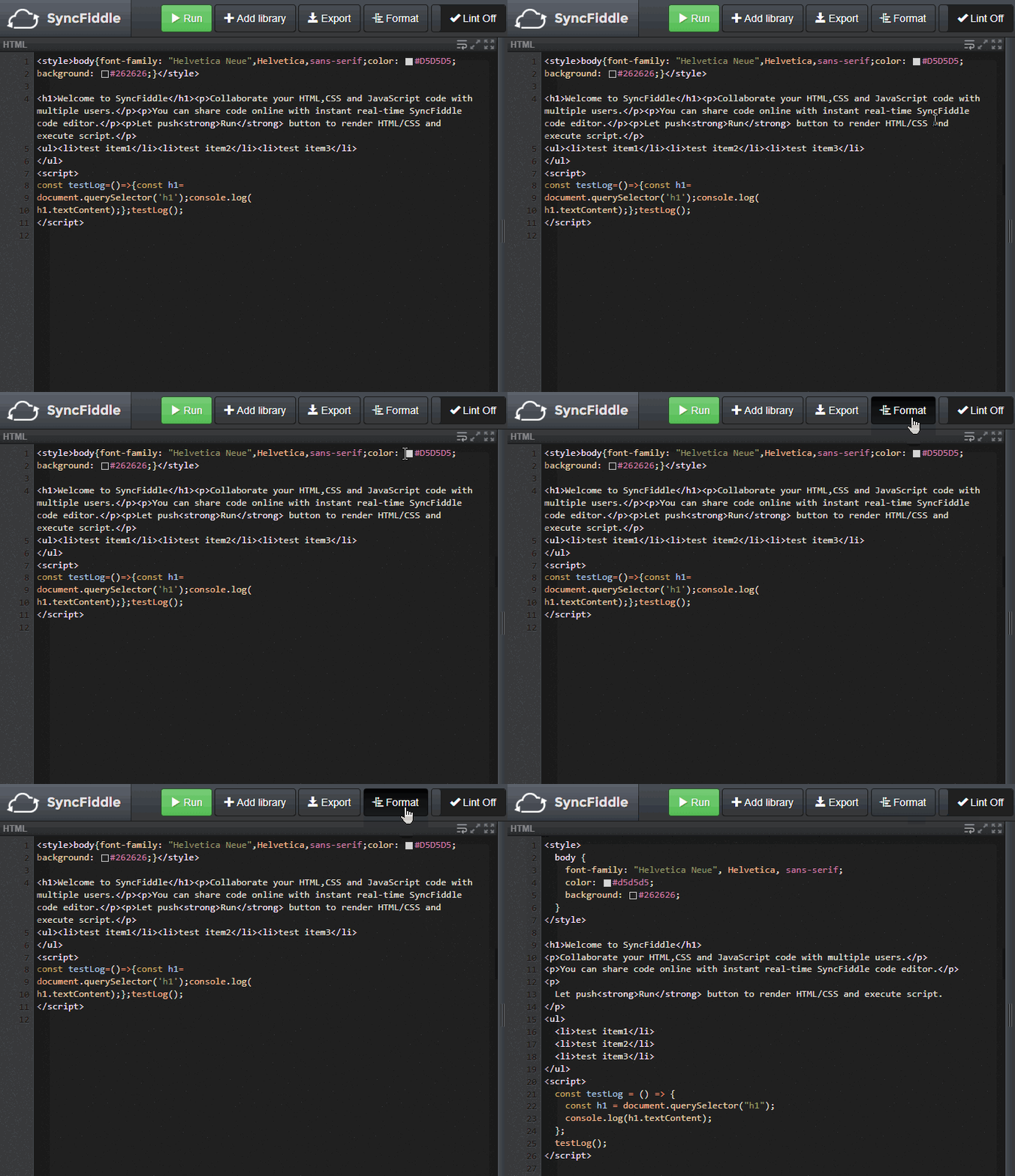
Since Prettier is loaded on demand the first time you click the button, the button will briefly show "Loading..." during the initial load. Subsequent uses will be instant.
If the formatter encounters a syntax error in your code, a message will appear in the console to let you know.
Preserve Logs in Console
The console toolbar now includes a "Preserve logs" checkbox.
By default, the console is cleared every time you run your code. When "Preserve logs" is checked, existing log messages are kept across runs - useful when you want to compare output between multiple executions or track how your code behaves across changes.
Replaced "New Room" with "Leave Room"
The "New Room" button in the header has been replaced with a "Leave Room" button.
Clicking "Leave Room" disconnects you from the current session and returns you to the top page. From there, you can open a new editor session by clicking the "Start Coding" button in the top page whenever you're ready.
The previous "New Room" button would create a new session while silently abandoning the current one, which could lead to confusion. This change makes leaving a room more explicit and intentional.
Other Improvements
This update also includes internal performance improvements and bug fixes for a more stable editing experience.
As always, thank you for using SyncFiddle.